
Download Windows 11 Media Creation Tool – install Windows 11, create USB installer, ISO file, Windows 11 installer, Windows 11 upgrade, Windows 11 setup
Overview
The Windows 11 Media Creation Tool is a dedicated utility developed by Microsoft Corporation to assist users in creating installation media for the Windows 11 operating system. Designed for both novice and experienced users, the tool streamlines the process of preparing a bootable USB drive or generating an ISO file for Windows 11 deployment. This functionality is especially valuable for users planning to upgrade or perform a clean installation on compatible devices. The tool serves as a reliable, official resource, ensuring authenticity and compatibility during the setup process.
It addresses common challenges associated with manual OS installation, such as incorrect file formatting, missing drivers, or incomplete bootable media. By automating the creation of installation media, the tool reduces the risk of errors and enhances the overall reliability of the upgrade or installation experience. Real-world use cases include system recovery, enterprise deployment, and personal device upgrades. The tool is particularly beneficial for IT professionals managing multiple devices and for individual users seeking a clean, controlled installation of Windows 11.
As a system tool, the Windows 11 Media Creation Tool plays a critical role in the Windows ecosystem by enabling widespread access to the latest operating system. Its integration with Microsoft’s official update channels ensures users receive a secure and verified version of Windows 11. The developer did not provide additional technical details beyond the release date and version, but its official status from Microsoft reinforces trust and stability.
Key Features & Functionality
- Easy Installation Media Creation – The tool enables users to generate a bootable USB flash drive or an ISO file for Windows 11. This supports both upgrade and clean installation scenarios, providing flexibility for various deployment needs.
- Compatibility Check – Before proceeding, the tool verifies whether the host system meets the minimum hardware requirements for Windows 11. This proactive check helps prevent failed installations and ensures users are aware of potential hardware limitations.
- User-Friendly Interface – With a clean, guided workflow, the tool walks users through each step with clear prompts and visual feedback. This reduces the learning curve and allows users with limited technical experience to complete the process successfully.
- Official Microsoft Resource – As a product of Microsoft Corporation, the tool is digitally signed and distributed through secure channels. This guarantees authenticity and protects users from tampered or malicious versions.
- Wide Accessibility – The tool can be downloaded and executed on any Windows device, allowing users to create installation media on a different machine than the target device. This is particularly useful when preparing installation media for older or incompatible systems.
For example, a user with a desktop PC can use the tool to create a USB installer for a laptop that lacks a modern processor or TPM 2.0. Similarly, an IT administrator can use the tool to prepare multiple installation drives for deployment across an organization. The tool’s ability to produce a standardized, verified installation package enhances consistency and reliability across installations.
Interface, UX & Performance
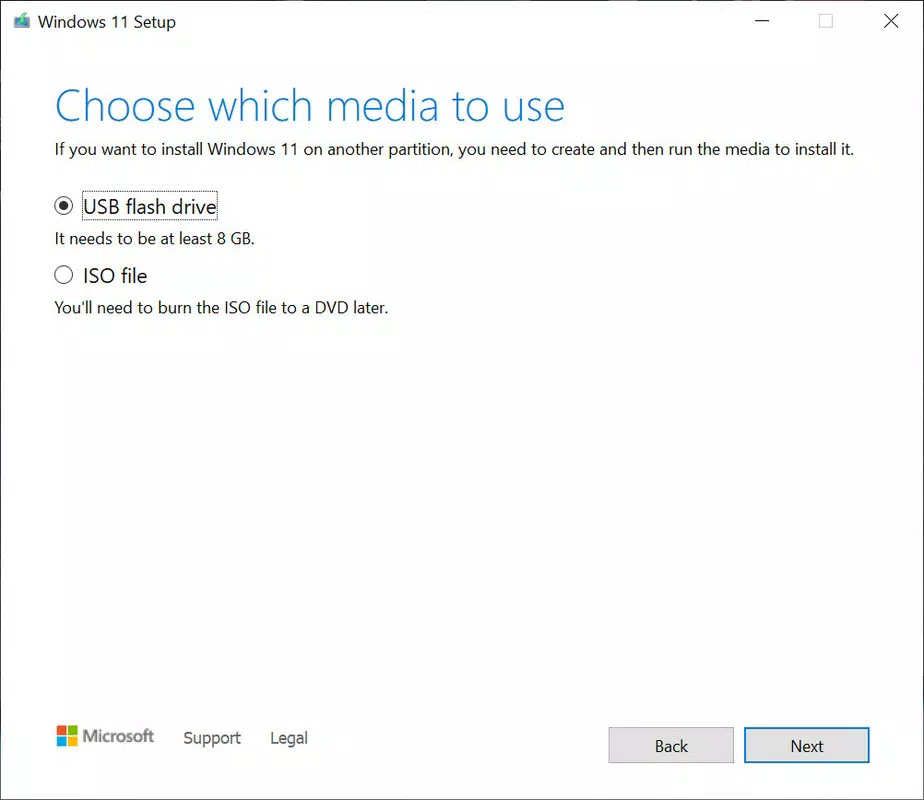
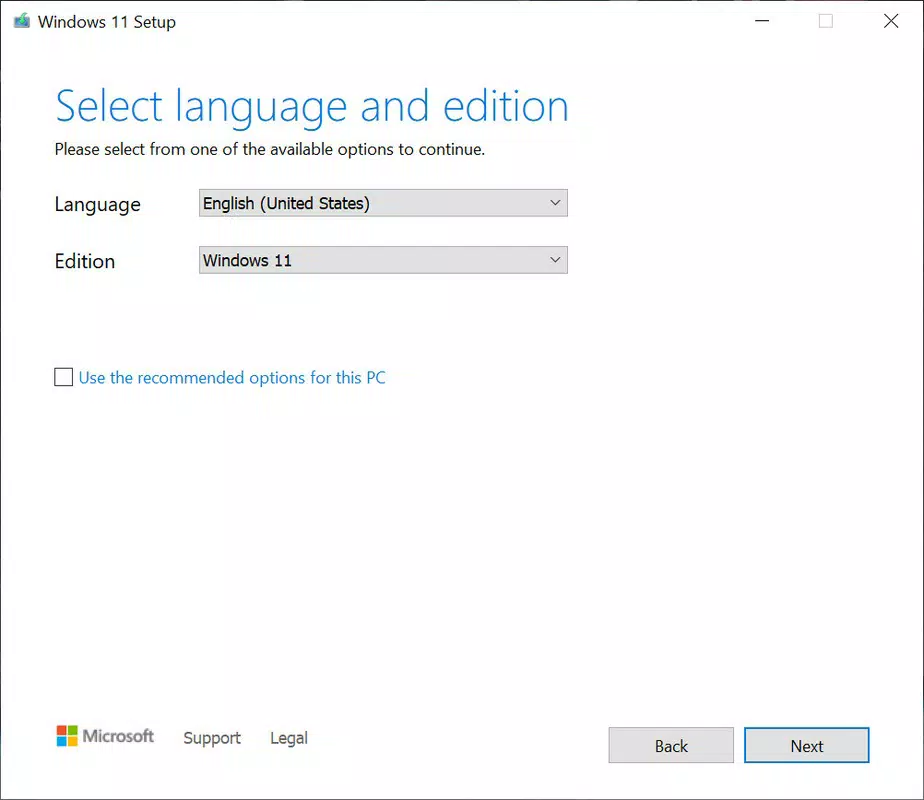
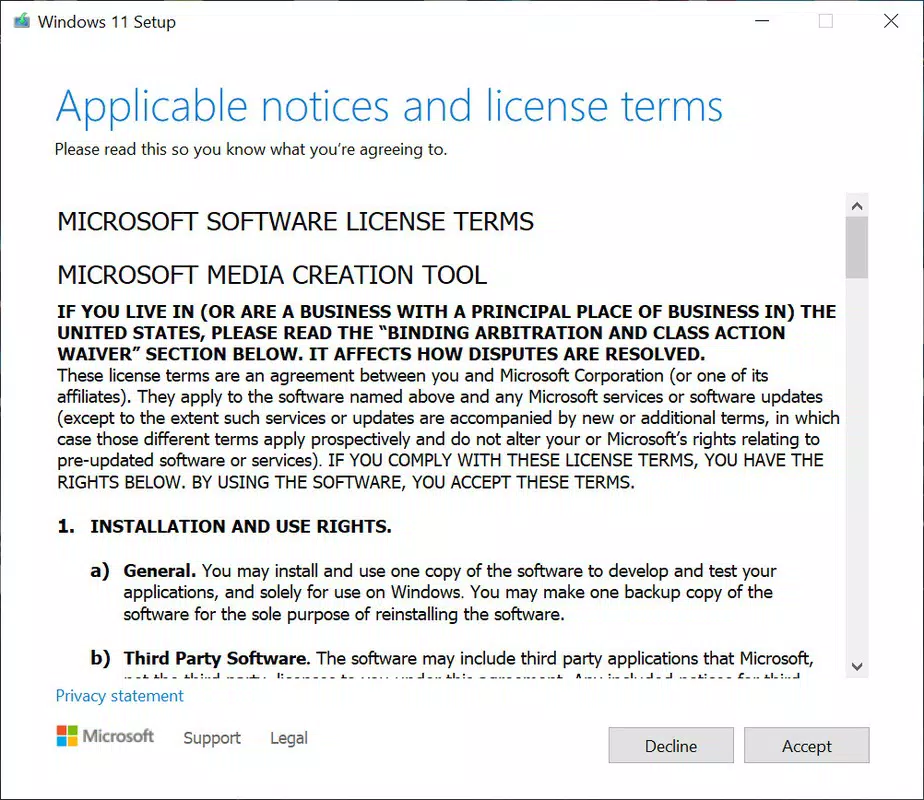
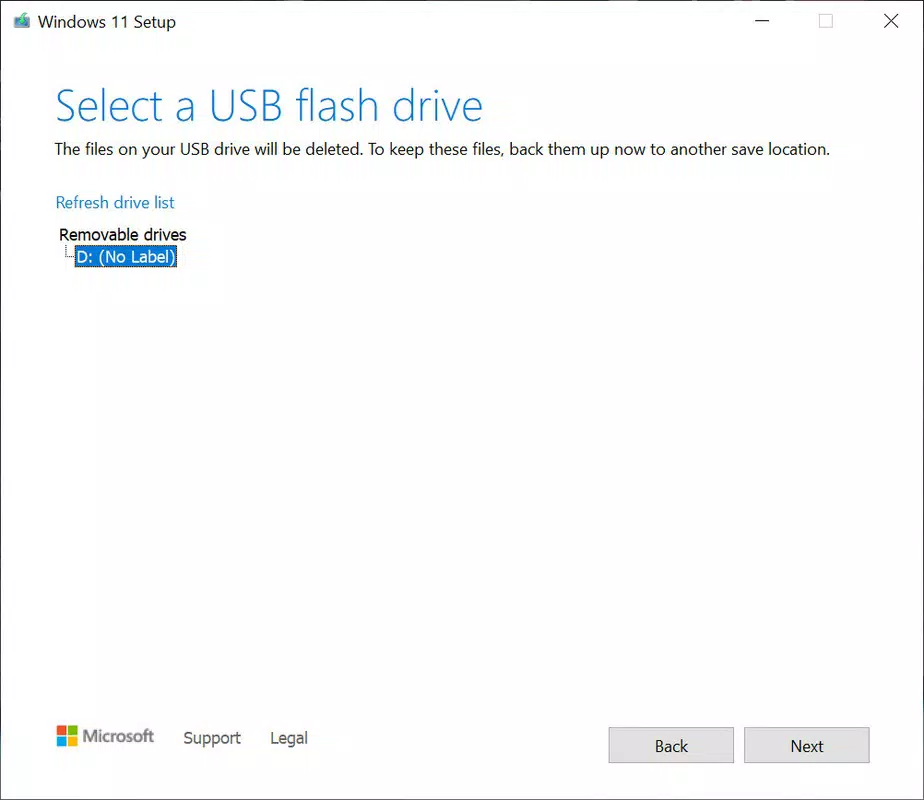
The Windows 11 Media Creation Tool features a minimalistic, task-oriented interface that prioritizes clarity and usability. The main window presents a straightforward choice between creating a USB installer or an ISO file, followed by a step-by-step wizard that guides users through the process. Navigation is linear and intuitive, with progress indicators and clear error messages when issues arise.
Visual design elements are consistent with Microsoft’s modern UI standards, using neutral colors, readable typography, and logical grouping of options. The layout adapts well to different screen sizes, ensuring a stable experience on both desktop monitors and smaller displays. Although the developer did not list formal performance metrics, the tool operates efficiently on modern Windows systems, with minimal resource consumption during media creation.
Responsiveness is generally strong, with quick feedback after each user action. The tool maintains stability even during lengthy operations such as downloading the Windows 11 image or writing data to a USB drive. The developer did not specify minimum OS requirements, but the tool is compatible with Windows 10 and Windows 11 systems. No known crashes or freezes were reported in the provided information.
Platform Compatibility & Technical Requirements
The Windows 11 Media Creation Tool is available exclusively for the Windows platform. It supports Windows 10 and Windows 11 operating systems, though specific version requirements were not listed. The tool has a file size of 154.8 MB, making it lightweight and easy to download.
Users must have a USB flash drive with at least 8 GB of storage to create a bootable installer. For ISO creation, a minimum of 6 GB of free disk space is required. The tool does not require administrative privileges on all systems, but elevated permissions are typically needed to write to USB drives or modify system files.
The developer did not specify minimum OS requirements, nor did they provide information about compatibility with older Windows versions such as Windows 7 or 8.1. Users are advised to run the tool on a supported Windows environment to ensure proper functionality. The tool is designed to work on both 32-bit and 64-bit systems, though specific architecture support was not disclosed.
Pros and Cons
Pros
- Official Microsoft tool with verified authenticity and security
- Simple, guided interface suitable for all user levels
- Supports both USB installer and ISO file creation
- Includes compatibility verification to prevent installation failures
- Lightweight at 154.8 MB and free to download and use
Cons
- Not available for macOS, Linux, or mobile platforms
- Requires a Windows device to create installation media
- Specific OS version requirements were not disclosed
- Only supports Windows 11 installation media, not other OS versions
- May require significant download time depending on internet speed
FAQ
Is the Windows 11 Media Creation Tool safe to download?
Yes, the tool is an official Microsoft product and is distributed through secure channels. It is digitally signed to ensure authenticity and prevent tampering.
Can I use this tool on Windows 10?
Yes, the tool is compatible with Windows 10 systems. However, specific version requirements were not listed by the developer.
Do I need a USB drive to use the tool?
Yes, a USB flash drive with at least 8 GB of storage is required to create a bootable installer. Alternatively, you can generate an ISO file for later use.
Can I install Windows 11 on any computer using this tool?
The tool checks compatibility with Windows 11 requirements. Devices that do not meet the hardware specifications may not be eligible for installation.
Is the tool available for iOS or Android?
No, the Windows 11 Media Creation Tool is only available for the Windows platform. It is not supported on mobile operating systems.
Final Thoughts
The Windows 11 Media Creation Tool stands out as a reliable, efficient, and secure utility for users preparing to install or upgrade to Windows 11. Its official status, intuitive interface, and robust functionality make it the preferred choice for both individual users and IT professionals. The ability to verify compatibility, generate multiple media types, and operate on standard Windows systems ensures a smooth and error-free experience.
While limited to Windows devices and not available on other platforms, its purpose is clear and well-executed. For anyone seeking a trustworthy method to create installation media for Windows 11, this tool delivers consistent results with minimal effort. It represents a practical solution in the modern OS deployment landscape.
Download Windows 11 Media Creation Tool now


